

You may have heard that as of December 2025, TaxLeopard, the self-employed accounting software company, has ceased operating. While it’s always difficult when a company suddenly closes up shop, it’s especially hard when that company provides a vital service – helping sole traders manage their taxes.
The good news is that there are several alternative services out there for users left in the lurch. We may be biased, but we think Hnry is the best of the lot.
Getting started with Hnry is simple and straightforward, our pricing structure is transparent, and we automatically manage your taxes for you while you do the important stuff – like actually running your business.
If this sounds good to you, hi! We’re Hnry. Nice to meet you!
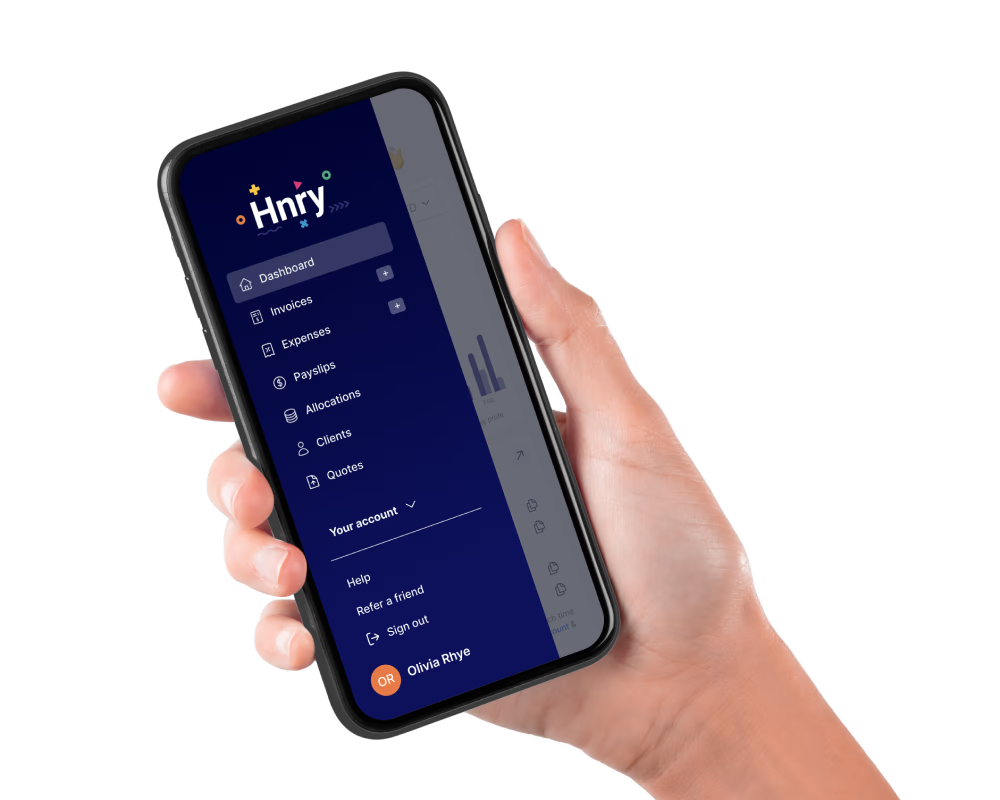
The Hnry Service
While TaxLeopard was designed to make taxes, BAS lodgements, and expense tracking easier for you to manage, the main Hnry difference is that we handle all of this for you automatically.
Here’s how:
- You sign up for Hnry, and get paid into your Hnry Account
- We calculate and deduct any taxes you might owe
- We forward the remaining funds to your personal bank account, yours to spend
- We lodge your BAS and tax returns for you, whenever they’re due. Sorted!
On top of our core service, you can also use the Hnry App to:
- send unlimited quotes and invoices
- raise business expenses (managed by our tax experts)
- track your business profit (income minus expenses)
- manage your clients
- … and so much more!
💡 Did we mention the Hnry Debit Card? Every time you make a purchase, it automatically raises an expense in the Hnry App – no need to connect a bank feed.
Best of all, our pricing structure is simple and affordable – 1% +GST of your self-employed income, meaning you only pay when you’re actually earning. The Hnry fee is also capped at $1,500 +GST a year. Too easy!
Getting started with Hnry
You can get set up with Hnry in three quick steps:
1. Sign up
To sign up for Hnry, you’ll need:
- An email address and password
- Your Tax File Number
- Your estimated annual earnings (all sources of income)
We’ll also need to know if:
- You’re GST registered, and/or
- You have a student loan.
Once we have all that, we’ll give you your Hnry Account – our magic tool for calculating and paying your taxes.
2: Verify your identity
Legally, we can’t process payments on your behalf unless we’ve verified that you’re a real human.
In most cases, our ID verification is a quick process. You’ll need one of the following:
- AU or NZ Passport
- AU or NZ Driver Licence
- Work Visa
If you’re unable to provide one of these documents, no worries – you can find other options in this article.
3: Get paid
When your first payment comes through your Hnry Account, two things will happen:
- We’ll calculate your taxes on that amount, then deduct them and send them to the ATO before firing the rest into your personal bank account. This all happens instantly, and we’ll do this every time you get paid.
- We officially become your accountant (🎉). This means we’ll take charge of:
- Managing your expenses
- Adjusting your tax rate (taking into account your income and deductions)
- Lodging all your tax returns (income tax and Activity Statements), and
- Answering your gnarly tax questions. Just hop into the app and send us a message to get started!
Uploading expenses, clients, and services
We know it’s always a bit of a faff swapping from one system to another, which is why we’ve made the process as simple as possible.
Uploading previous expenses
To upload expenses from prior to joining Hnry, head to the “Expenses” tab in the main menu.
Then, click the “Pre-Hnry Expenses” button that appears when you first visit the page.
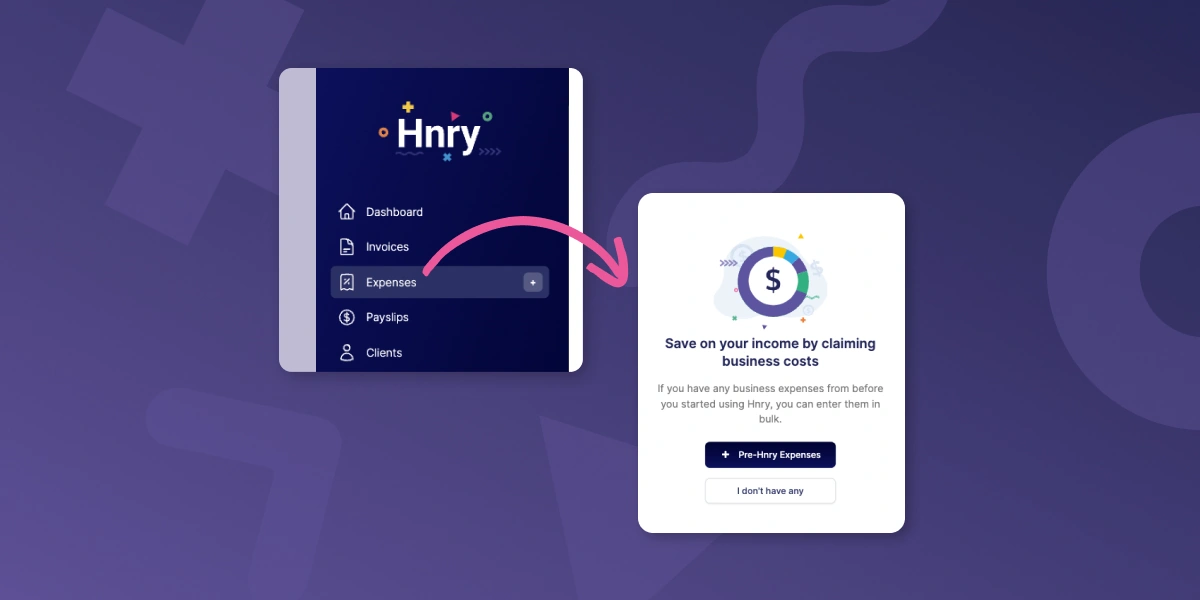
From there you can input all your pre-Hnry expenses for the relevant financial year.
If you have a lot of expenses, don’t worry! We just need the total amount you’re claiming for each expense category, not each individual expense.
Uploading clients and services
It’s totally optional, but you can bulk upload information about your clients and your services into the Hnry App – it’ll make it that much easier to create and send invoices down the line!
For the easiest way to do this, you can download and fill in our simple CSV templates.
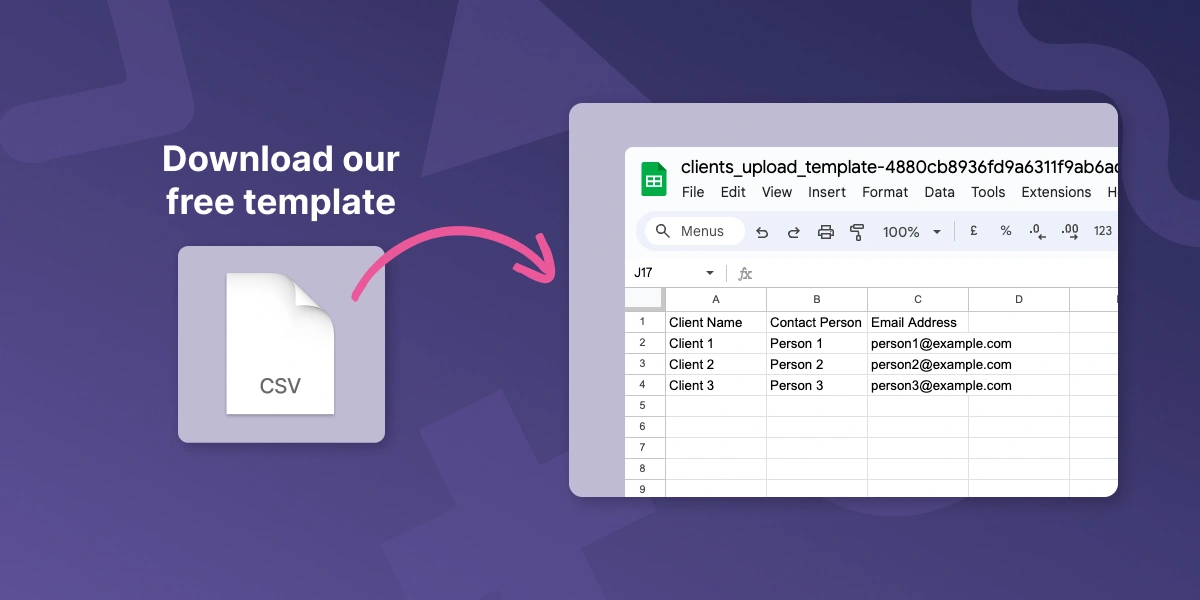
Upload this CSV file under the “Clients” or “Services” tab, double check everything looks right, and hit “Next”.
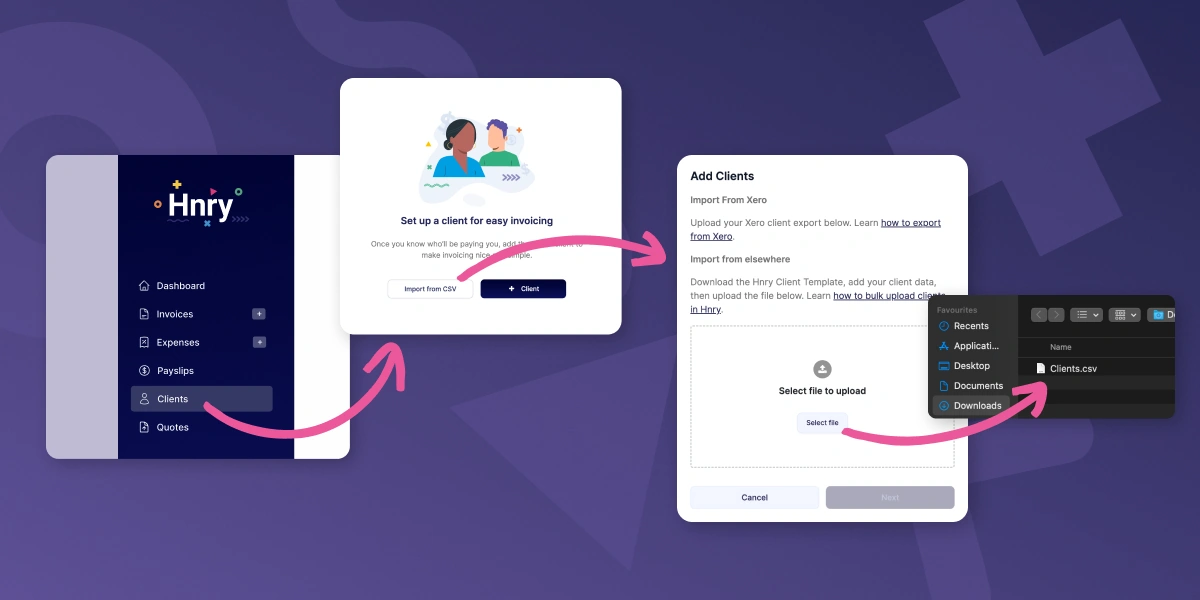
And voilà! French!

Use Hnry – and never think about tax again
Hnry is an award-winning tax app and service, designed specifically for sole traders. We sort your taxes for you, so you can focus on the fun stuff – like actually running your business.
We’re currently expanding in Australia, New Zealand, and the UK – both in terms of our teams and the features and services we offer. Most recently, we raised $30million to support our rapid growth – so we’ll be around for a long time to come. That’s a promise.
Join Hnry, and never think about tax again!